- Computing
- Software
- Windows
Iconicus Evanesca...
Comments (0) ()When you purchase through links on our site, we may earn an affiliate commission. Here’s how it works.
 (Image credit: Shutterstock)
- Windows 11 has a bug in the sign-in options on the lock screen
- It's made the password icon disappear somehow
- The icon is still there, and Microsoft's advice is, essentially, to fumble around for it
Windows 11 has had its fair share of odd bugs, particularly since version 24H2 landed, and a very peculiar glitch recently appeared – and what's equally odd is Microsoft's workaround here.
Windows Latest noticed the problem, which pertains to the Windows Hello sign-in options on the lock screen for Windows 11 devices.
This screen allows you to log in via biometric means (facial recognition or fingerprint), or by using a PIN, although if you can't recall that PIN, then there's a backup facility to use your Microsoft account password instead.
You may like-
 I'm exhausted by incessant Windows 11 bugs - and the return of the BitLocker recovery glitch is an ugly sight
-
 Windows 95 icons still exist in Windows 11 today as dusty old relics from another time – here's where to find them
-
 It's only been a few days since Windows 10's demise, and the latest Windows 11 update is causing havoc
However, on some Windows 11 PCs that have installed the August preview update, or the full September update – or later – this password option has gone missing (as per this thread on Reddit).
Microsoft explains in the known issues for the August preview update: "You might notice that the password icon is not visible in the sign-in options on the lock screen. If you hover over the space where the icon should appear, you'll see that the password button is still available. Select this placeholder to open the password text box and enter your password. After entering your password, you can sign in normally."
Analysis: stealth icons
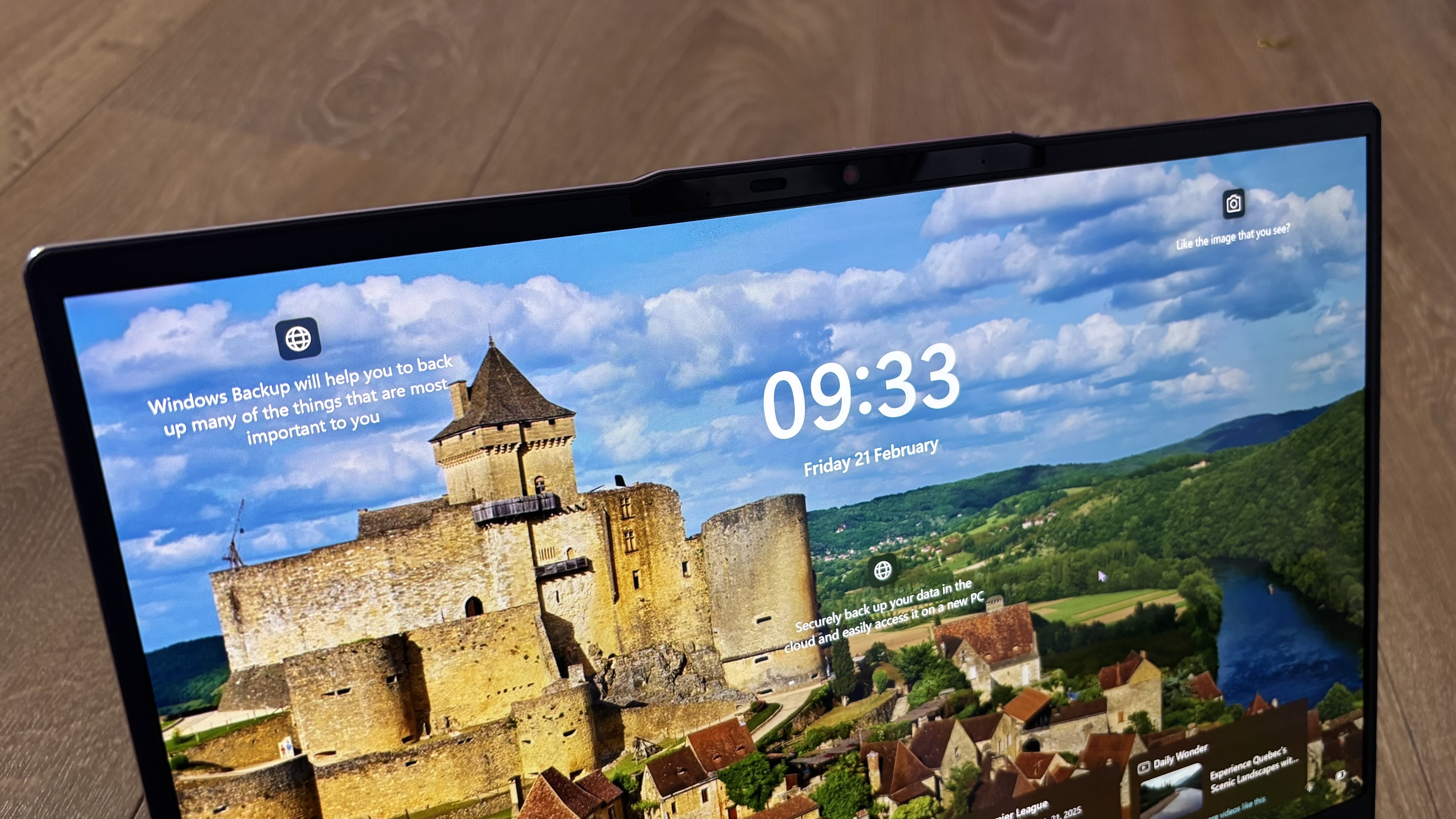
In other words, the password icon has somehow turned invisible, but it's still there and functioning – sort of, as the icon itself isn't there, but you'll see a blank box where it normally lives, which, when clicked on, works to trigger the password field.
So, if you need to access the backup password sign-in option, Microsoft's advice is to hover your mouse cursor over where the icon should be, and you'll see the outline of the button to click it. It's a bit like 'Where's Waldo?' except you're looking for a much less colorful character.
Get daily insight, inspiration and deals in your inboxContact me with news and offers from other Future brandsReceive email from us on behalf of our trusted partners or sponsorsBy submitting your information you agree to the Terms & Conditions and Privacy Policy and are aged 16 or over.Perhaps this could be a new mini-game in Windows 11: icons blink in and out of the desktop in a random fashion, and you have to be quick enough to whack them before they disappear.
It's a very odd bug – which some folks are blaming on AI code, a growing trend ever since Microsoft admitted it's using AI for some coding duties – and it feels equally weird for Microsoft to be giving 'wave your mouse cursor around and hope for the best' kind of advice. Admittedly, it's a niche issue – not many people will use that password icon, and there hasn't been much in the way of complaints about the glitch, which is presumably why it's flown rather under the radar.
Even so, if you're one of the people affected and you were wondering what was going on, now you know. It's also good to see Microsoft is currently "working to resolve this issue" as per its support document – possibly by getting a bunch of programmers to randomly wave their cursors across Windows 11's codebase in the hope of eventually finding the right bit to tinker with for a resolution? No?
 The best computers for all budgetsOur top picks, based on real-world testing and comparisons
➡️ Read our full guide to the best computers1. Best Windows: Dell Tower Plus2. Best Mac: Apple Mac mini M43. Best Mac AIO:Apple iMac 24-inch (M4)
Follow TechRadar on Google News and add us as a preferred source to get our expert news, reviews, and opinion in your feeds. Make sure to click the Follow button!
And of course you can also follow TechRadar on TikTok for news, reviews, unboxings in video form, and get regular updates from us on WhatsApp too.
TOPICS Windows 11 Darren AllanDarren is a freelancer writing news and features for TechRadar (and occasionally T3) across a broad range of computing topics including CPUs, GPUs, various other hardware, VPNs, antivirus and more. He has written about tech for the best part of three decades, and writes books in his spare time (his debut novel - 'I Know What You Did Last Supper' - was published by Hachette UK in 2013).
You must confirm your public display name before commenting
Please logout and then login again, you will then be prompted to enter your display name.
Logout Read more
I'm exhausted by incessant Windows 11 bugs - and the return of the BitLocker recovery glitch is an ugly sight
Windows 95 icons still exist in Windows 11 today as dusty old relics from another time – here's where to find them
It's only been a few days since Windows 10's demise, and the latest Windows 11 update is causing havoc
 Microsoft fixes weird bug that's been messing with Windows 11 updates for years
 Ever update and shut down your Windows 11 PC, and it restarts instead? Yeah, you're not seeing things – Microsoft confirms it was a bug
 Windows 11's new update fixes some weird bugs that might slow down your PC or eat your handheld's battery
Latest in Windows
Windows 11's new update fixes some weird bugs that might slow down your PC or eat your handheld's battery
Latest in Windows
 Windows 11 File Explorer fudge works, I just wish it was fixed properly
 Windows 10 adoption is stalling, so Microsoft must fix a major issue
 Dell paints bleak picture of Windows 11's lack of popularity at End of Life
 Windows 11's Notepad gets support for tables and bolstered AI powers
 A Linux OS has got a million downloads since Windows 10 support ended
 Fed up with sluggish folders in Windows 11? Microsoft says it's fixing this
Latest in News
Windows 11 bug causes password sign-in icon to turn invisible somehow
Fed up with sluggish folders in Windows 11? Microsoft says it's fixing this
Latest in News
Windows 11 bug causes password sign-in icon to turn invisible somehow
 Shopify is down – here's what we know about its Cyber Monday outage
 GTA 6 leak supposedly from former Rockstar animator drops new content clues
 Brace yourself, ChatGPT fans – your conversations could get ads soon
 South Korean ecommerce giant Coupang suffers huge data breach - over 33 million accounts affected, here's what we know
 OnePlus 15R confirmed to get Snapdragon 8 Gen 5 chipset, 165Hz display, and more
LATEST ARTICLES
OnePlus 15R confirmed to get Snapdragon 8 Gen 5 chipset, 165Hz display, and more
LATEST ARTICLES- 1South Korean ecommerce giant Coupang suffers huge data breach - over 33 million accounts affected, here's what we know
- 2I broke up with Wix for this website builder - and right now you can get up to 88% off it
- 3AWS re:Invent 2025 - all the news and updates as it happens
- 4These Netflix VPNs are still on sale – don't miss out on big Cyber Monday savings
- 5Shopify is down – here's what we know about its Cyber Monday outage